How to Start an E-commerce Business from Zero: The Steps in the Right Order
In this article8 sections
Most new online stores do not struggle because of the website. They struggle because things happen in the wrong order: a polished store is built before anyone checks the margins, or launch day arrives with no plan for the first visitors. This guide walks through starting an e-commerce business from zero, step by step, in the order that saves money and time.
Key takeaways
- Check margins, delivery costs and demand before you spend money on design.
- Sort out the legal and practical basics early: company, VAT, payments, delivery and returns.
- Prepare product content before building the store, because it shapes everything else.
- Decide how the first visitors will find you before launch day, not after it.

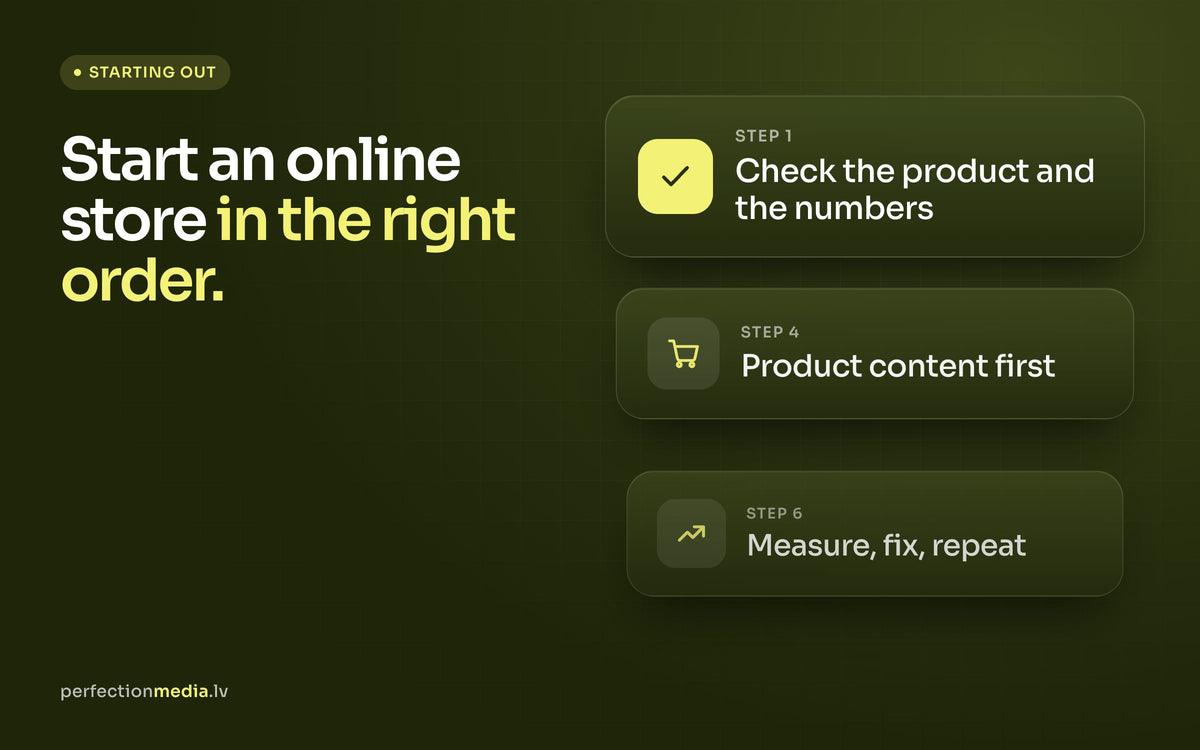
1. Validate the product and the numbers
Before building anything, make sure the business works on paper. For each product, write down:
- the price you can realistically charge;
- your purchase or production cost;
- packaging, payment fees and delivery cost per order;
- the share of orders you expect to be returned;
- what you can afford to spend on advertising to win one customer.
If the margin only works when everything goes perfectly, change the price, the product mix or the supplier now. Then test demand cheaply: pre-orders, a small first batch, a marketplace listing or a simple landing page with an email sign-up all give you real signals before you commit to stock.

2. Sort out the business basics
These steps are not exciting, but they delay launches more often than design does:
- Company and VAT: register the business and find out when you need to register for VAT, including for sales to other EU countries. An accountant will save you time here.
- Payments: choose a payment provider that supports the methods your customers use: cards, express wallets and, in the Baltics, bank links.
- Delivery: agree terms with couriers and parcel locker networks, then set your shipping prices and the order value for free delivery.
- Policies: write clear terms, a privacy policy and a returns policy. In the EU, online shoppers generally have a 14-day right of withdrawal, so plan how returns will work in practice.
3. Choose the platform
For most new brands we recommend Shopify. It handles hosting, security, checkout and payments, so you can focus on selling, and it grows with you from the first order to thousands a month without a migration. We compare it with the alternatives in our article on choosing the best platform for your online store.
Whatever you choose, look beyond the monthly fee. Count the apps you will need, transaction fees, the time the store takes to run day to day and how easily you can find help later.
4. Build the store in the right order
Product content first
Photos, descriptions, variants, sizes and prices shape the design, not the other way round, so prepare them before the build starts. Good product photography is one of the best investments a new store can make: online, the photo replaces holding the product.
Structure and navigation
Group products the way customers think about them, not the way your warehouse does. Keep the main menu short and make sure every product can be reached in two or three clicks.
Trust and service pages
Delivery, returns, contact details and an about page answer the questions people have about a shop they do not know yet. Make them easy to find from product pages and the footer.
Test before launch
Place real test orders on a phone and a computer, with different payment and delivery methods. Check the order confirmation emails, stock levels and how an order reaches whoever packs it.
Our complete Shopify store development guide covers each of these stages in more detail.
5. Plan the first visitors before launch
A new store has no traffic of its own. Decide in advance where the first visitors will come from:
- Email list: start collecting addresses before launch, with a sign-up form and a good reason to join. A welcome series and abandoned cart emails should be live from day one; this is where our email marketing work with Klaviyo usually starts.
- Paid social: Meta ads on Facebook and Instagram are usually the fastest way to reach new customers. Start with a small budget and a few clear offers.
- Search: write unique product and collection texts from the start. SEO takes months to show results, so the earlier you begin, the better.
- Your own network: friends, partners and existing customers are often the first buyers and the first reviews.

6. After launch: measure, fix, repeat
The first weeks show how the store really works. Track a few numbers every week: sessions, conversion rate, average order value and the share of returning customers. Shopify's own analytics show where visitors drop off between the product page, the cart and checkout.
Fix the biggest leak first, change one thing at a time and compare periods of equal length. Ask the first customers for a review as soon as their order arrives; early reviews make the next sales easier.
Common mistakes when starting from zero
- Spending the whole budget on the store and leaving nothing for marketing.
- Launching with too many products and too little content for each one.
- Hiding delivery costs until checkout.
- Installing an app for every idea before there is any traffic.
- Judging the business on its first week instead of its first three months.
When it makes sense to bring in an agency
You can launch a simple store yourself, and for a first test that is often the right call. An agency is worth it once the business is proven and the store has to carry more: a larger catalogue, integrations with stock or accounting systems, a stronger brand or a clear growth target. Since 2021 we have built more than 200 Shopify stores, and a new store typically goes live in 4–7 weeks.