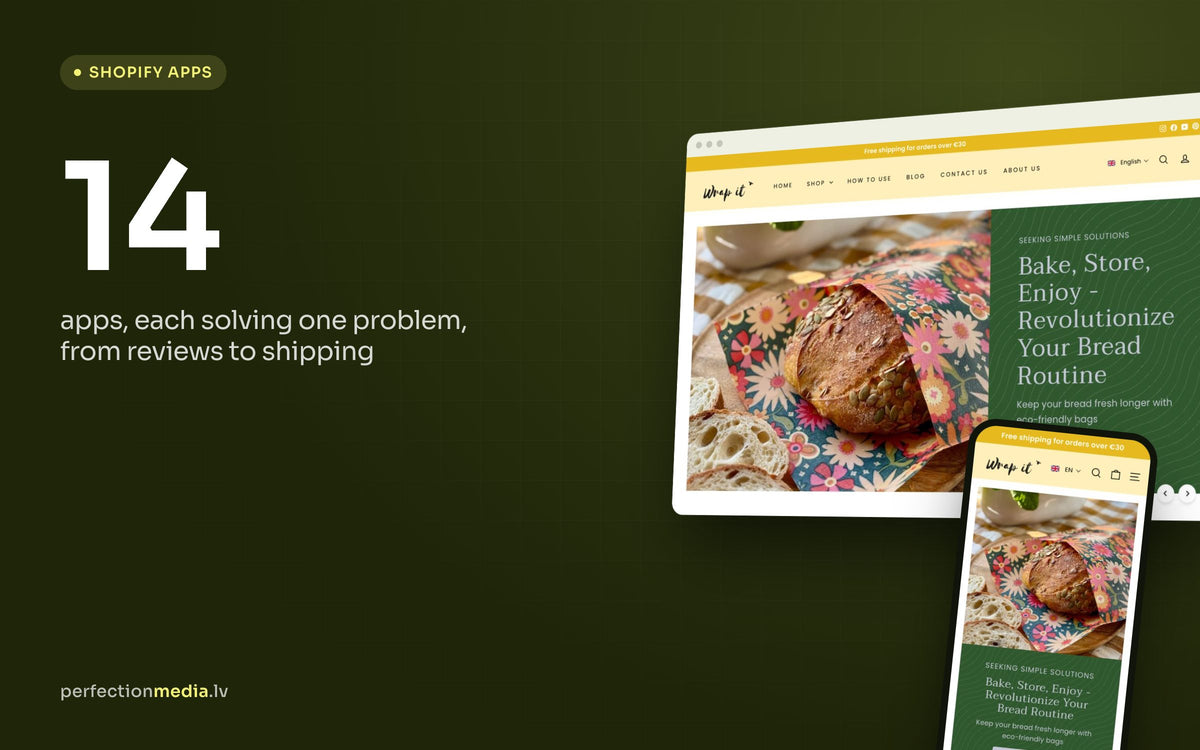
14 Essential Apps for New Shopify Stores: A Practical Guide for Makers and Small Brands
In this article7 sections
Starting a Shopify store for your own products, whether that is jewellery, candles, home decor or skincare, is exciting. It can also feel overwhelming, especially when the Shopify App Store lists thousands of apps that all promise more sales.
This guide is for makers, independent brands and anyone launching a first store. Each app below solves one specific problem, from page design to shipping, so you can spend more time on your products and less on admin.
Key takeaways
- Install apps one at a time, each for a specific problem, and check whether it earns its place.
- For a new store, reviews, email marketing and clear shipping updates usually matter most.
- Most apps here have a free plan or trial, but prices change: check the current plan before you commit.
- Every app adds code and often a monthly fee, so remove the ones you no longer use.

Design and brand
1. PageFly: page builder
Problem: you want distinctive pages, but your theme's standard layouts feel too basic.
Solution: PageFly lets you build product pages, About pages and landing pages from drag-and-drop sections, without code. It works well for telling the story behind your products. Before you add any page builder, check what your theme's own sections can do: modern Shopify themes are flexible, and every builder adds extra code.
Pricing: free plan available; paid plans add more pages and features.
2. Canva: design templates
Problem: you need professional visuals, but hiring a designer for every banner is expensive.
Solution: Canva's templates let you create product banners, social posts and email graphics in minutes, even without design experience. You design in Canva and upload the finished images to Shopify or your email tool.
Pricing: free plan available; Canva Pro is a paid subscription (check the current price for your country).
Reviews and gifting
3. Judge.me: product reviews
Problem: customers hesitate to buy handmade or unfamiliar products because they cannot see or touch them.
Solution: Judge.me sends automatic review requests after an order and collects written and photo reviews from real buyers. Those reviews build the kind of trust a product description alone cannot.
Pricing: free plan available.
4. LDT: Gift Wrap, Gift Message: gift options
Problem: customers want to add a personal message or gift wrapping, but Shopify's built-in gift options are limited and a plain order note is easy to miss.
Solution: a gift app adds gift messages and gift wrapping to the product or cart page, so the order arrives ready to give and your packing team (even if that is just you) sees exactly what to do.
Pricing: check the current plans on the app listing.
Marketing and customer service
5. Klaviyo: email and SMS marketing
Problem: your sales depend on social media, and every algorithm change affects who sees your posts.
Solution: Klaviyo sends automated emails and SMS: a welcome series, abandoned cart reminders, post-purchase follow-ups and new product announcements. Your email list is an audience you own, so your sales no longer depend on one platform. If you would rather have this set up for you, see our Klaviyo email marketing service.
Pricing: free plan for small lists (up to 250 contacts at the time of writing); paid plans grow with your list.
6. Tidio: live chat and AI chatbot
Problem: customers have questions, but you are busy making and packing products.
Solution: Tidio answers common questions automatically, such as delivery times and product details, and lets you chat with shoppers in real time when you have a free moment.
Pricing: free plan available; paid plans add AI features and more conversations.
7. Pinterest for Shopify
Problem: your products look great, but too few people discover them.
Solution: the Pinterest app syncs your catalogue to Pinterest, so your products can appear as shoppable pins in search results and on boards. Visual products such as decor, jewellery and handmade gifts often do well there.
Availability: Pinterest's shopping features are not available in every country, including some European markets. Check that your country is supported before you plan around it.
Pricing: free to install; Pinterest ads are paid separately.
Checkout and shipping
8. Releasit COD Form: cash on delivery orders
Problem: in some markets many customers prefer to pay cash on delivery (COD).
Solution: Shopify supports cash on delivery as a manual payment method. Releasit adds a short order form designed for COD buyers, with features aimed at reducing fake or refused orders. In the Baltics most shoppers pay by card or bank link, so you may not need it at all.
Pricing: free to install; check the current plans for order limits.
9. ShipStation: shipping labels
Problem: printing labels and processing orders one by one takes hours every week.
Solution: ShipStation pulls in your orders, batch-prints labels and compares rates from carriers such as USPS, FedEx, UPS and DHL. It is built mainly for stores shipping from the US, UK, Canada and Australia. For Baltic stores, carrier and parcel locker apps such as Omniva or MakeCommerce Shipping are usually the more practical choice.
Pricing: free trial, then a monthly plan based on shipment volume (check the current price).
10. AfterShip: order tracking
Problem: customers keep asking "where is my order?" and answering each one eats into your day.
Solution: AfterShip sends automatic tracking updates and gives customers a branded tracking page, which cuts down on support emails. AfterShip also offers a separate returns app if you want a self-service returns flow.
Pricing: free plan available for low order volumes.

Subscriptions and upsells
11. Appstle Subscriptions: repeat orders
Problem: loyal customers love your products but order only once.
Solution: Appstle lets customers subscribe to products they use up, such as candles, soap or skincare refills, so repeat orders arrive without a new campaign each time.
Pricing: free plan available at the time of writing; paid plans add features.
12. ReConvert: post-purchase upsells
Problem: you want more items per order without sounding pushy.
Solution: ReConvert shows matching products on the thank-you page and in post-purchase offers, for example a bracelet that goes with the earrings just bought. The customer has already paid, so the offer feels like a suggestion rather than an obstacle.
Pricing: check the current plans; pricing depends on your order volume.
Products and inventory
13. Stock Sync: stock updates from suppliers
Problem: your stock levels change outside Shopify, for example at a supplier or wholesaler, and you end up selling items that are no longer available.
Solution: Stock Sync imports stock and price updates from supplier files and feeds on a schedule. If you make everything yourself, Shopify's built-in inventory tracking already stops overselling, as long as "Continue selling when out of stock" is switched off. To connect an ERP, accounting or warehouse system, see our Shopify integrations.
Pricing: free trial, then monthly plans (check the current price).
14. Matrixify: bulk product editing
Problem: updating prices or descriptions, or adding a new collection, product by product takes forever.
Solution: Matrixify lets you export, edit and re-import products in a spreadsheet, so you can change hundreds of items at once.
Pricing: free demo plan for small tests; paid plans for larger files.

Start small, add apps with a purpose
You do not need every app on this list. Start with the ones that solve your biggest problem right now, and add the next one only when you feel a clear gap.
Every app adds code to your store and often a monthly fee. Too many apps can slow your pages down, and some leave code behind in the theme after you uninstall them. Review your apps every few months and remove what you no longer use.
Many features on this list can also be built straight into your theme, without an app or a monthly fee. If you are just getting started, our step-by-step Shopify store setup guide and the complete guide to Shopify store development cover the rest of the launch.